Measure campaigns sent by your own system
Send campaign exposure and business outcome events to Azimea, then inspect complete cohorts and data health without moving your sending system.
The External campaigns tab (Marketing monitor) in Reports reads events from your existing system. Azimea does not send the campaign in this setup. It shows what identified people did after a campaign exposure, and whether the events needed for that measurement arrived.
Set up the journey
Section titled “Set up the journey”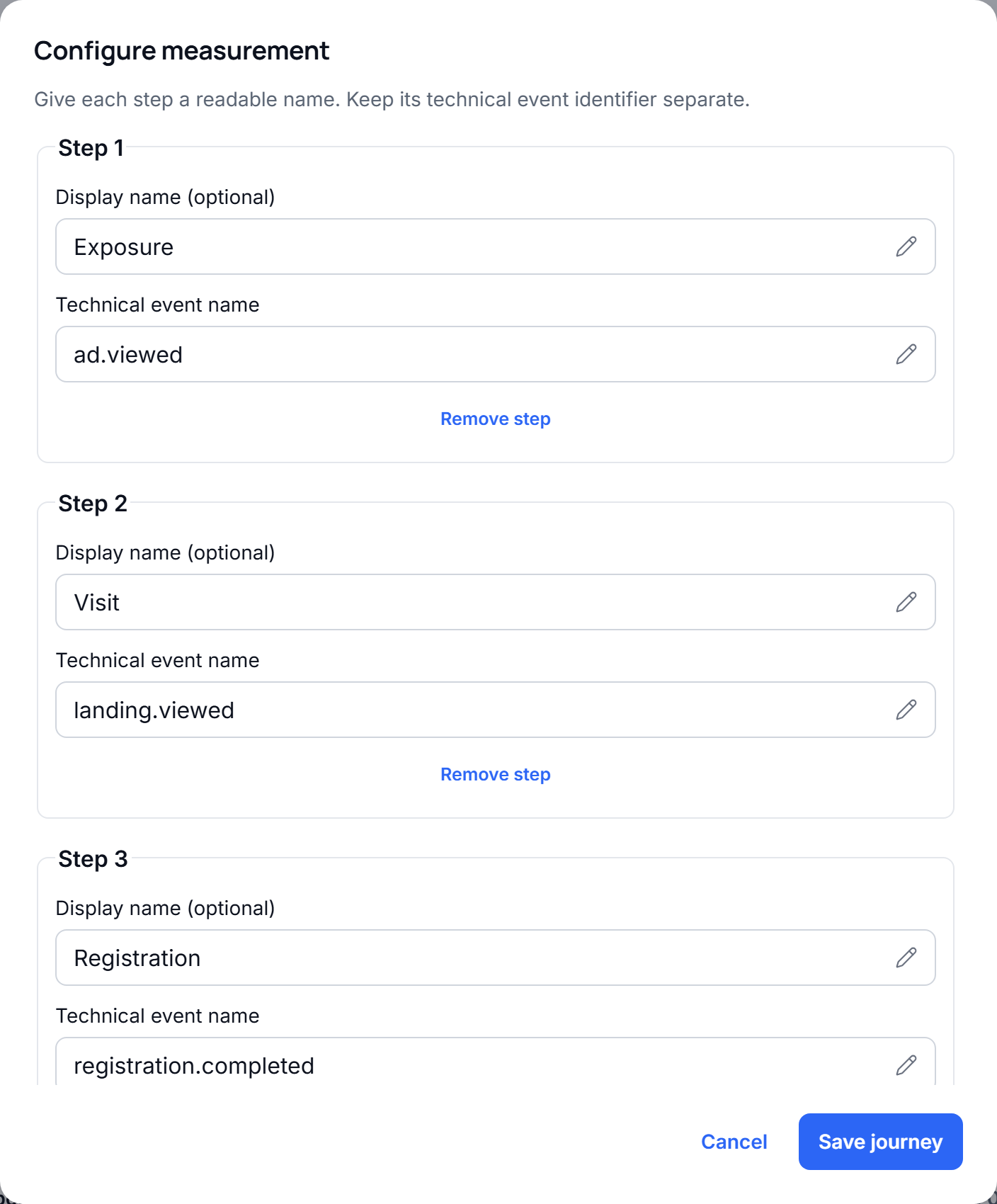
- Open Reports → External campaigns → Configure and enter two to six event names in order. The first is the exposure; the others are outcomes, such as
lead.created,demo.booked, anddeal.won. - Choose an outcome window of 1–30 days. A cohort enters the rate calculations only after its whole window has elapsed. More recent exposures appear as Still observing.
- Send events through
POST /events. Every exposure needs an identified contact and a string property namedcampaign_id(at most 100 characters). Use the same contact identity for later outcomes. - If useful, record each campaign’s total cost in the report. It is shown as a fact about the whole campaign, not divided across reporting periods or called ROI.
For example, the first event in a B2B journey can be:
{ "events": [{ "id": "exposure-autumn-001", "name": "campaign.exposed", "occurredAt": "2026-10-10T10:00:00Z", "contact": { "externalId": "crm-48213", "email": "ana@example.com" }, "properties": { "campaign_id": "autumn-b2b" } }]}Later, send lead.created, demo.booked, and deal.won with the same externalId. The existing event API deduplicates retries by event id; check its response for accepted, duplicate, and rejected events. An unknown externalId without an email cannot create a new contact. Exposure of anonymous visitors cannot currently be measured by this report.
You can give each step and external campaign a readable display name. The event code and
campaign_id remain the integration identifiers: changing only a display name does not change the
measurement. Cancelling the dialog discards edits. Changing event order or the observation window
reinterprets historical periods; the dialog explains this before you save. Existing configurations
without display names continue to show their original identifiers.
Read the report
Section titled “Read the report”- Exposed counts distinct contacts per campaign in the selected exposure period. Repeated exposure events from the same contact and campaign count once.
- The comparison shows the final outcome count and rate for each campaign. Select a campaign to see every step in its journey. Step counts require completion of preceding steps in order, within the chosen window. Rates use only exposures whose complete window has elapsed, excluding pending observations.
- Check report data shows how many events arrived, which event types were not seen in the selected period, exposures without
campaign_id, and events recorded more than 24 hours after their occurrence. A zero can also mean no customer took that action; investigate the source before treating it as an integration failure. - A person exposed to two campaigns appears in both cohorts. People exposed to multiple campaigns makes that overlap visible.
For example, if 30 distinct contacts were exposed to a campaign, 24 have completed a seven-day outcome window, and 12 of those 24 became leads, the lead stage shows 12 (50%). The other six contacts stay in Still observing and do not lower that rate. See the Reports guide for the other tabs and their setup.
This is observational measurement. An outcome after exposure does not prove that the campaign caused it. To estimate additional results caused by a campaign, the sending system must also provide a valid, comparable control group; this report does not calculate causal lift. Changing the configured event names recalculates past periods using the new path.